

Transactions
Search, filter, and export transactions in the merchant dashboard.
Use the Transactions section to reconcile payments with your order system.
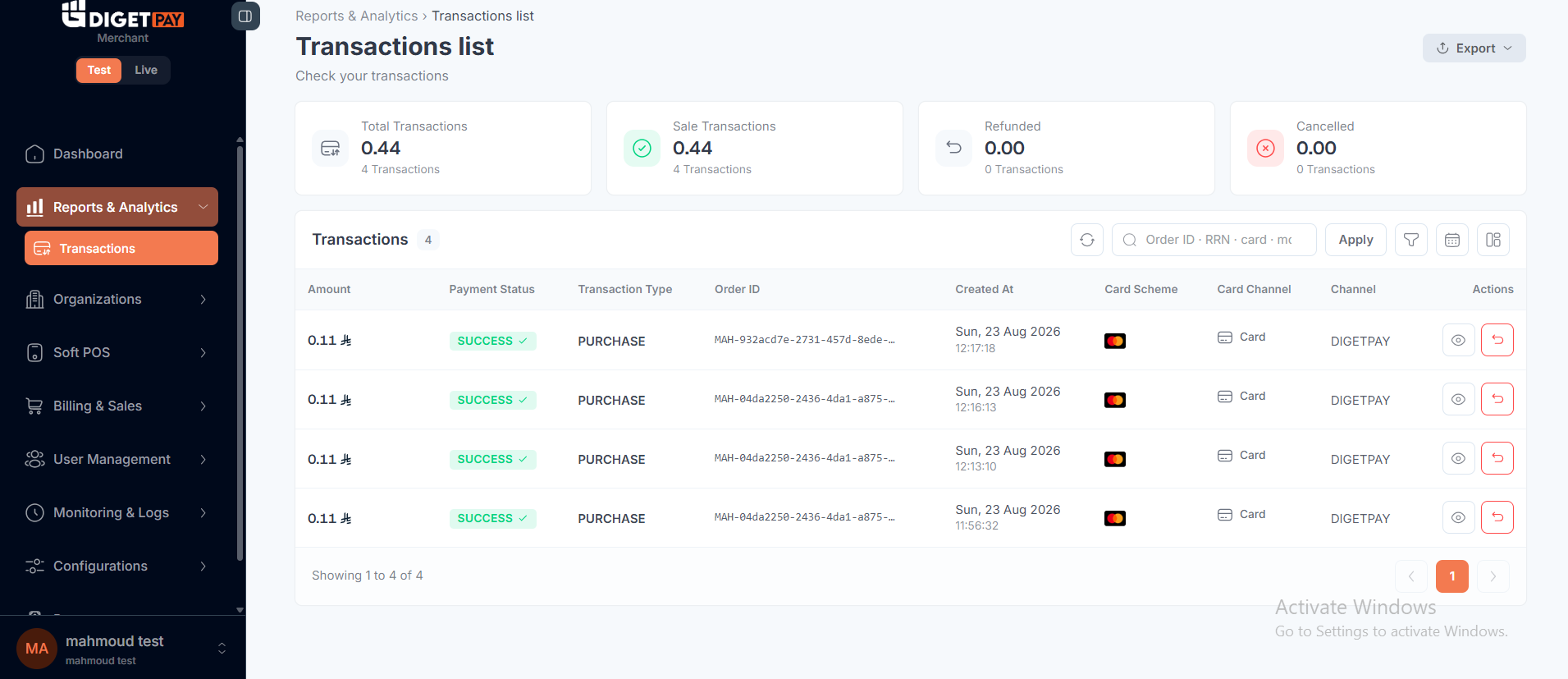
Search and filters
| Filter | Use |
|---|---|
| Date range | Daily reconciliation |
| Status | SUCCESS, FAILED, PENDING, REFUNDED |
| Order ID | Match merchantOrderId from your store |
| Transaction ID | Gateway UUID for status API |
| Amount | Dispute investigation |
Transaction detail
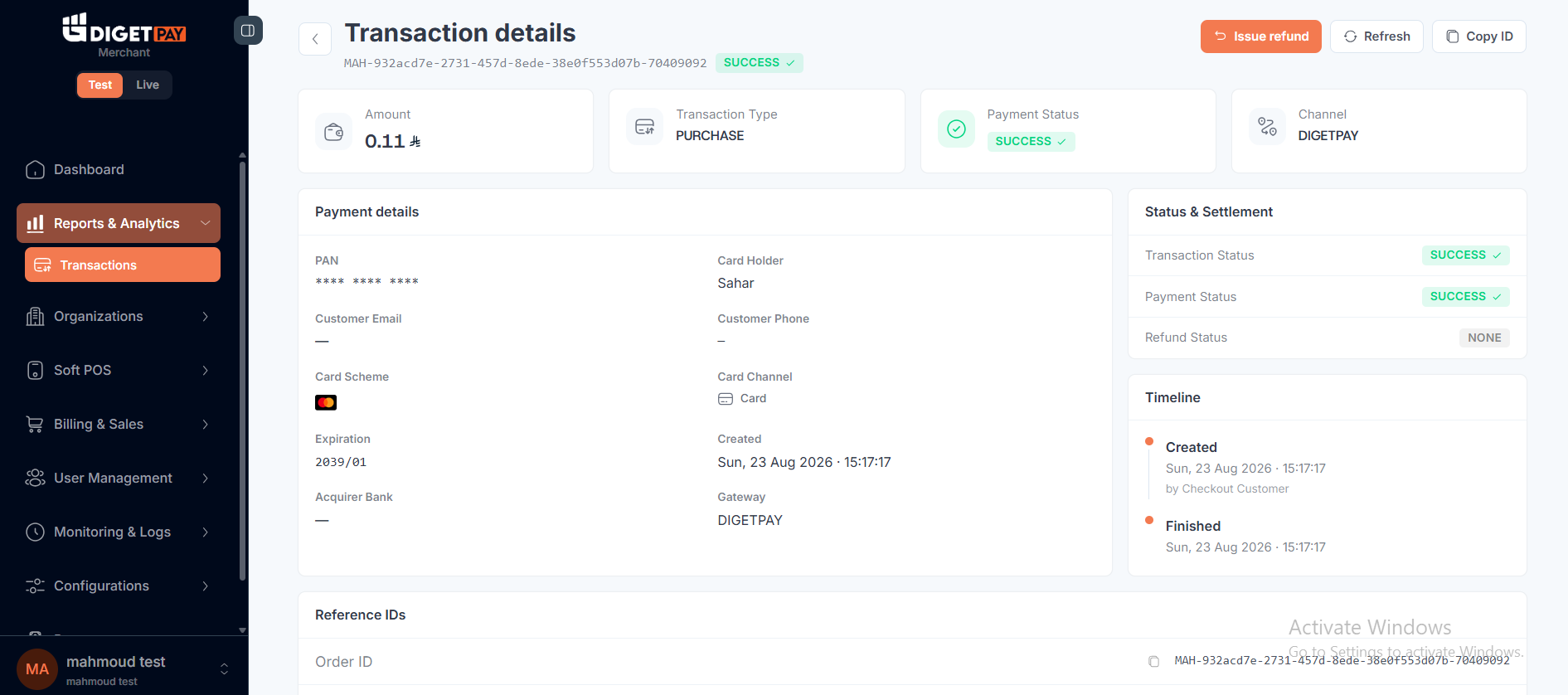
Opening a transaction typically shows:
| Field | Maps to API |
|---|---|
| Transaction ID | GET /payment/checkout/status?id= |
| Merchant order ID | merchantOrderId from create link |
| Amount / currency | SAR |
| Payment method | Card, Mada, Apple Pay |
| Status | transactionStatus, paymentStatus |
| Refund status | refundStatus |
Export
Export filtered results for accounting. CSV export is available from the transaction list; contact support if you need additional formats.
Always reconcile exports against webhooks for real-time accuracy.
Worked reconciliation example
You can reconcile a transaction by comparing the record exported from the Dashboard with the corresponding webhook received by your backend.
1. Export the transaction
Filter the Transactions page by the required date range and export the results.
For example:
| Field | Dashboard export |
|---|---|
| Transaction ID | TXN-123456 |
| Merchant Order ID | ORDER-10001 |
| Amount | 100.00 SAR |
| Status | SUCCESS |
2. Find the webhook
Use the Transaction ID or Merchant Order ID to locate the corresponding webhook event in your backend logs.
Example:
{
  "transactionId": "TXN-123456",
  "merchantOrderId": "ORDER-10001",
  "amount": 100.00,
  "status": "SUCCESS"
}
3. Match the records
| Field | Dashboard export | Webhook log | Result |
|---|---|---|---|
| Transaction ID | TXN-123456 | TXN-123456 | ✓ Match |
| Merchant Order ID | ORDER-10001 | ORDER-10001 | ✓ Match |
| Amount | 100.00 SAR | 100.00 SAR | ✓ Match |
| Status | SUCCESS | SUCCESS | ✓ Match |
If the key fields match, the exported transaction and webhook event refer to the same payment.
If a value does not match, use the Transaction ID to query the transaction status and investigate the discrepancy.
Staging vs production
| Environment | Use |
|---|---|
| Fin staging | Validate test payments during integration |
| Production | Live reconciliation and support |
Related
Updated about 1 month ago